 OpenAi-HK
gpt-image-2 绘图模型
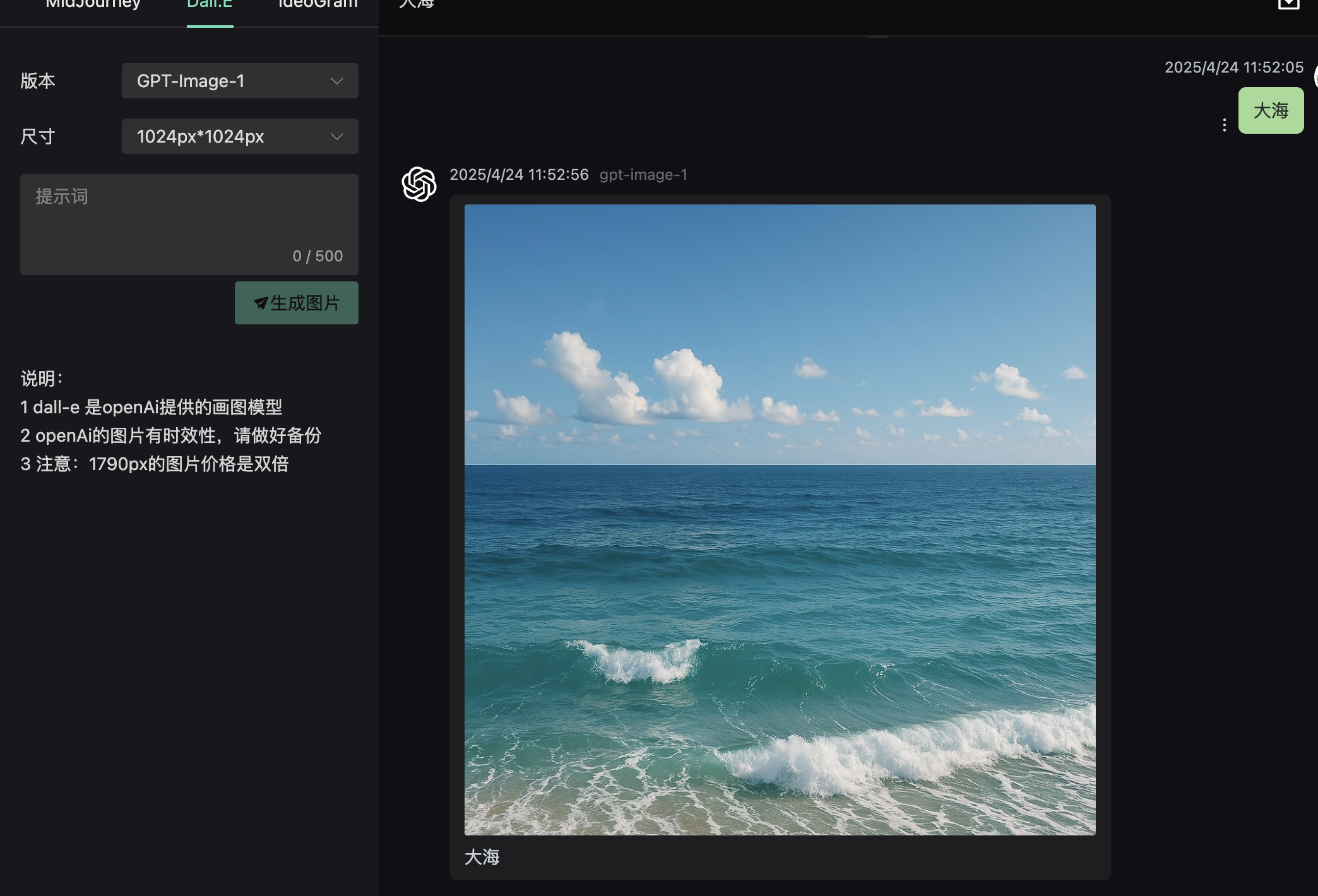
- 2026.04.20 本站已经支持 gpt 的画图模型
gpt-image-2调用方式dall-e接口 - 2025.12.17 本站已经支持 gpt 的画图模型
gpt-image-1.5调用方式dall-e接口 - 2025.04.24 本站已经支持 gpt 的画图模型
gpt-image-1调用方式dall-e接口 - 支持多图参考
/v1/images/edits - 图片会计费输入、输出图片的 token
计费规则
- 计费由 input.text_token input.image_token ouput.image_token 决定
- (input.text_token*5 + input.image_token*10 + output.image_token*40)*7.1*10000/1000000 = 积分
- 如果是 1024*1024 的
low品质消耗积分大概在 800 积分, 如果medium品质大概在 3000 积分 ,所以请选择好你的品质 - 计费参考 https://openai.com/api/pricing/
Image Generation API
请求参数
| 参数名 | 类型 | 是否必须 | 描述 |
|---|---|---|---|
| model | string | 是 | 模型名称 gpt-image-2、gpt-image-1、gpt-image-1.5 |
| prompt | string | 是 | 图片描述 |
| n | integer | 否 | 生成图片数量 |
| size | string | 否 | 输出尺寸,支持分辨率格式或 auto(默认) |
| quality | string | 否 | 画质档位:low、medium、high、auto(默认) |
| image | file | 否 | 图片编辑原图 仅支持 /v1/images/edits |
| response_format | string | 否 | 响应格式:b64_json 或 url(默认) |
size约束- 最大边长 ≤
3840px - 两边均须为 16 的倍数
- 长短边比例不超过 3:1
- 总像素数范围:655,360 ~ 8,294,400
- 最大边长 ≤
常用尺寸组合
| Ratio | size | K |
|---|---|---|
| 1:1 Square | 1024×1024 | 1K |
| 1:1 Square | 2048×2048 | 2K |
| 1:1 Square | 2880×2880 | 4K |
| 16:9 Widescreen | 1280×720 | 1K |
| 16:9 Widescreen | 2048×1152 | 2K |
| 16:9 Widescreen | 3840×2160 | 4K |
| 9:16 Story | 720×1280 | 1K |
| 9:16 Story | 1152×2048 | 2K |
| 9:16 Story | 2160×3840 | 4K |
| 5:4 Print | 1040×832 | 1K |
| 5:4 Print | 2080×1664 | 2K |
| 5:4 Print | 3200×2560 | 4K |
| 4:5 Feed | 832×1040 | 1K |
| 4:5 Feed | 1664×2080 | 2K |
| 4:5 Feed | 2560×3200 | 4K |
| 4:3 Classic | 1024×768 | 1K |
| 4:3 Classic | 2048×1536 | 2K |
| 4:3 Classic | 3264×2448 | 4K |
| 3:4 Vertical | 768×1024 | 1K |
| 3:4 Vertical | 1536×2048 | 2K |
| 3:4 Vertical | 2448×3264 | 4K |
| 3:2 Photo | 1008×672 | 1K |
| 3:2 Photo | 2064×1376 | 2K |
| 3:2 Photo | 3504×2336 | 4K |
| 2:3 Portrait | 672×1008 | 1K |
| 2:3 Portrait | 1376×2064 | 2K |
| 2:3 Portrait | 2336×3504 | 4K |
| 21:9 Exclusive | 1344×576 | 1K |
| 21:9 Exclusive | 2016×864 | 2K |
| 21:9 Exclusive | 3808×1632 | 4K |
| 自动随参考图尺寸 | auto | - |
curl 实例
- 请求入口支持
/v1/images/generations/v1/images/edits
文生图
shell
curl  https://api.openai-hk.com/v1/images/generations \
  -H 'Authorization: Bearer hk-替换为你的key' \
  -H "Content-Type: application/json" \
  -d '{
    "model": "gpt-image-2",
    "prompt": "a white siamese cat",
    "n": 1,
    "size": "1024x1024",
    "quality": "low"
  }'
curl https://api.openai-hk.com/v1/images/generations \
-H 'Authorization: Bearer hk-替换为你的key' \
-H "Content-Type: application/json" \
-d '{
"model": "gpt-image-2",
"prompt": "a white siamese cat",
"n": 1,
"size": "1024x1024",
"quality": "low"
}'
图片编辑
shell
curl -X POST "https://api.openai-hk.com/v1/images/edits" \
  -H "Authorization: Bearer hk-替换为你的key" \
  -F "model=gpt-image-2" \
  -F "image[]=@body-lotion.png" \
  -F "image[]=@bath-bomb.png" \
  -F "image[]=@incense-kit.png" \
  -F "image[]=@soap.png" \
  -F 'prompt=Generate a photorealistic image of a gift basket on a white background labeled "Relax & Unwind" with a ribbon and handwriting-like font, containing all the items in the reference pictures'
curl -X POST "https://api.openai-hk.com/v1/images/edits" \
-H "Authorization: Bearer hk-替换为你的key" \
-F "model=gpt-image-2" \
-F "image[]=@body-lotion.png" \
-F "image[]=@bath-bomb.png" \
-F "image[]=@incense-kit.png" \
-F "image[]=@soap.png" \
-F 'prompt=Generate a photorealistic image of a gift basket on a white background labeled "Relax & Unwind" with a ribbon and handwriting-like font, containing all the items in the reference pictures'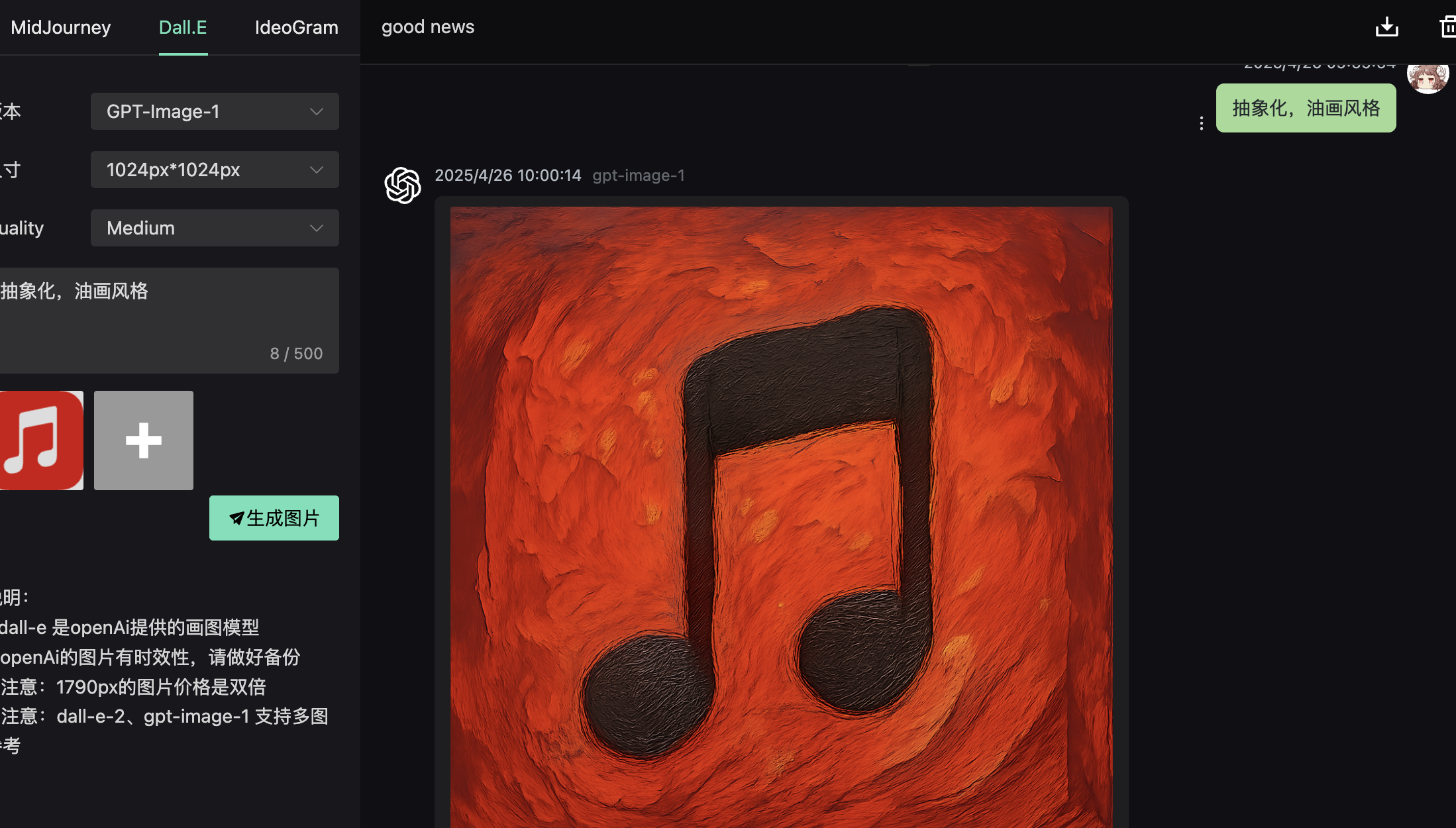
返回数据
json
{
  "created": 1776220106,
  "data": [
    {
      "revised_prompt": "你原来输入prompt",
      "url": "https://myfile.addmao.com/20260427/d3272fe0-92c9-4f20-a50b-3114affc45c5.png",
      "b64_json": "data:image/png;base64 当response_format 参数为 b64_json 时返回"
    }
  ],
  "usage": {
    "input_tokens": 6,
    "input_tokens_details": {
      "image_tokens": 0,
      "text_tokens": 6
    },
    "output_tokens": 275,
    "total_tokens": 281
  }
}
{
"created": 1776220106,
"data": [
{
"revised_prompt": "你原来输入prompt",
"url": "https://myfile.addmao.com/20260427/d3272fe0-92c9-4f20-a50b-3114affc45c5.png",
"b64_json": "data:image/png;base64 当response_format 参数为 b64_json 时返回"
}
],
"usage": {
"input_tokens": 6,
"input_tokens_details": {
"image_tokens": 0,
"text_tokens": 6
},
"output_tokens": 275,
"total_tokens": 281
}
}在线测试
注意
1.访问 https://gpt4o.ddaiai.com/ (如果被墙了,换下二级域名前缀 suibian)
2.如果发现被墙了 可以自己换地址 https://suibian.ddaiai.com 把 suibian 换其他的 如 https://2025.ddaiai.com 都能访问
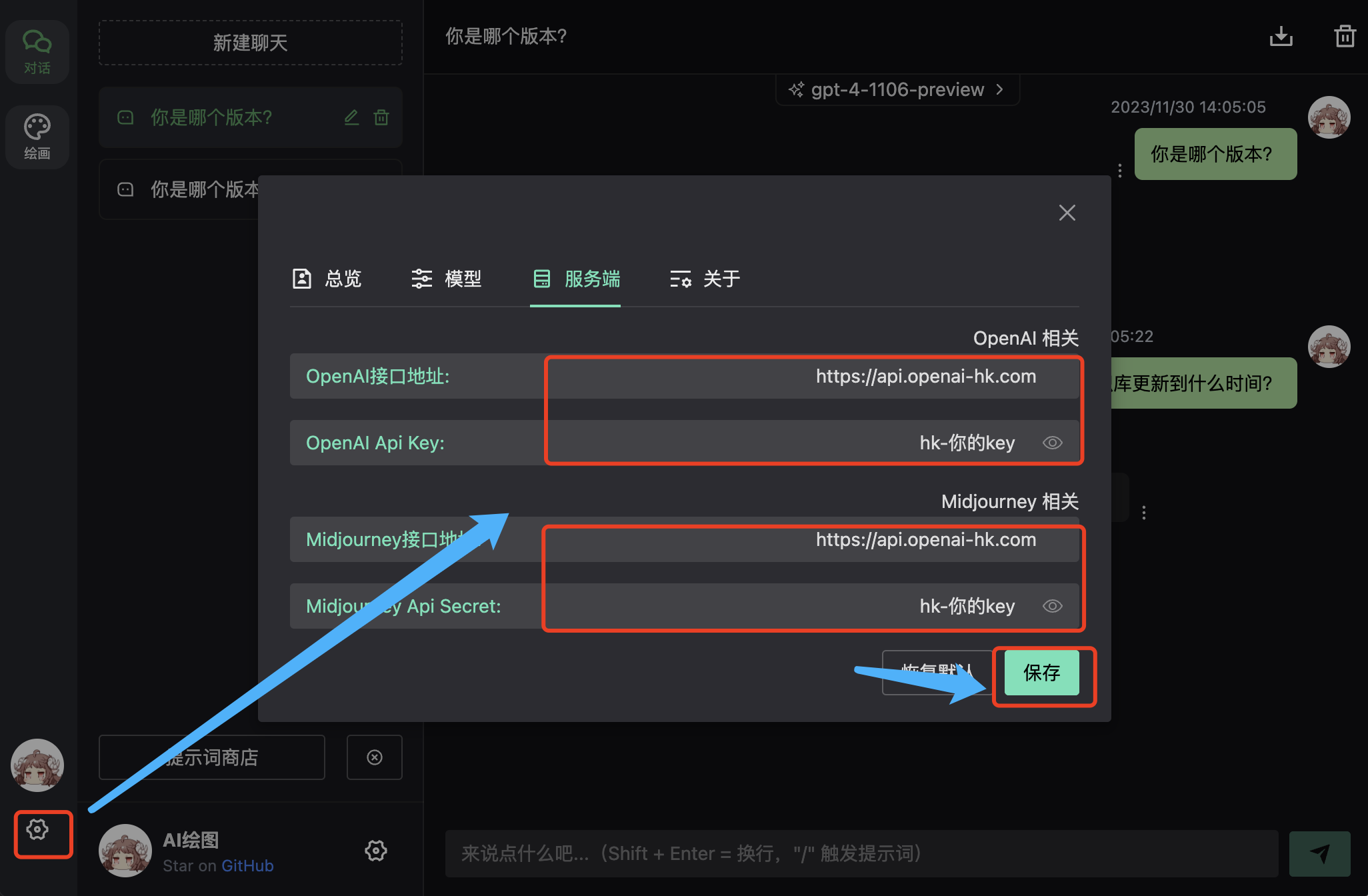
设置
- 在下图相应的地方设置
- OpenAi 接口地址:https://api.openai-hk.com
- OpenAi API KEY: hk-你的 apiKey
效果
输入框 提问对话
抽象化,优化风格
同时在图片+的地方 上传参考图